Prevent double bookings: a clear routine for your holiday rental

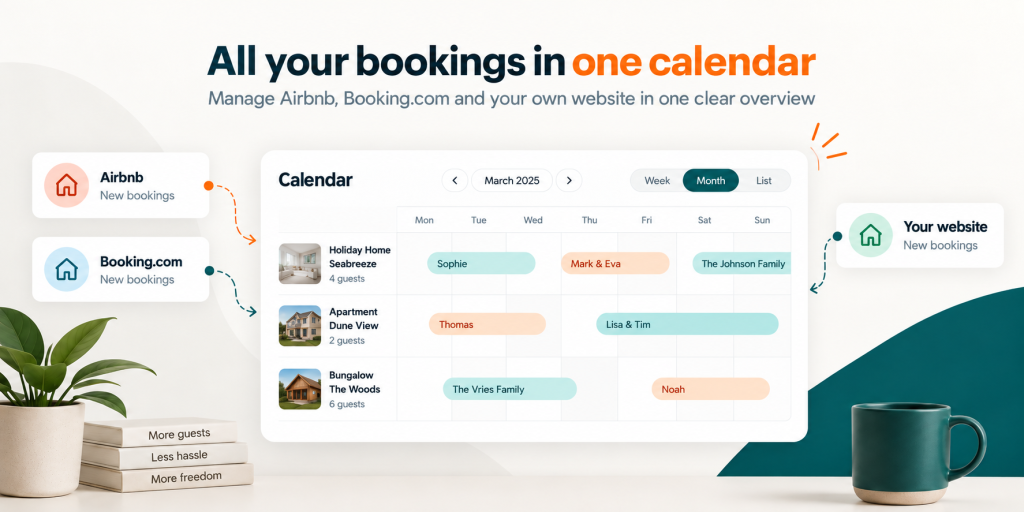
A central rental calendar brings reservations, owner stays and maintenance together. A consistent routine helps you handle each request carefully and record changes in the right place. This gives guests clarity and reduces the risk of promising the same nights to two groups. Here is how to manage requests, confirmed reservations and blocks, and when an extra check is useful.
Separate requests, confirmed reservations and blocked dates
A request is a guest asking to stay; a confirmed reservation is a stay you have accepted. A block keeps a period unavailable for rental, perhaps for maintenance or your own holiday. A booking made through your Homadu website starts as a request. You accept or decline it, and the corresponding confirmation email follows. If someone helps manage the property, agree who can confirm stays and who handles changes. This reduces the risk of two people promising the same nights to different guests.
Follow the same sequence for every new booking
Make each reservation part of a short, repeatable check. Include returning guests who call or email. An agreement in your inbox does not update your availability by itself.
- Check the correct property, arrival, departure and number of nights. Compare the requested dates with existing reservations, requests and blocks.
- If another channel has received a recent booking, check its own calendar too. The change may not have reached your central overview yet.
- Decide who will handle the request. If you agree to hold dates temporarily, record when that agreement ends and check the blocks needed; do not assume they expire automatically.
- Record the accepted reservation or manual block, then check the availability shown. Tell the guest their booking is confirmed only after completing your checks.
Allow for the gap between calendar updates
An iCal connection saves you from copying occupied periods by hand. Homadu schedules external calendar imports every quarter of an hour. Processing, source availability and other platforms’ own retrieval schedules together determine when a change becomes visible everywhere. An extra check at the source is especially useful when requests arrive close together or popular holiday dates are involved. See connecting Airbnb and Booking.com calendars for setup and testing in both directions.
Block owner stays and check the actual nights
Enter maintenance, personal stays and other unavailable periods as soon as you plan them. Keep a note of why a block exists and check that it applies to the right property. Think in overnight stays, rather than just coloured dates. An arrival on Friday with departure on Monday occupies Friday, Saturday and Sunday nights; Monday is the departure date. If you need another night clear for work after checkout, block it separately. Before extending a stay, check that its new final night has not already been promised to the next guest.
A free night does not mean every stay is allowed
A block and a booking restriction answer different questions. A block makes dates unavailable. A minimum stay or permitted arrival day determines which trips can be requested within free dates. An empty gap in the calendar therefore does not mean every arrival and departure combination is possible. If a stay is unexpectedly rejected, check both availability and stay rules. Homadu applies the minimum and maximum stay according to the check-in date; permitted checkout days follow the rules on the checkout date. A rate period boundary does not itself block a date or require a guest to leave.
Handle changes and resolve uncertainty first
A moved, extended or cancelled stay deserves the same care as a new reservation. Check the original booking before changing the affected dates. Release dates once you know the stay has been cancelled and no other reservation or block applies. When a calendar source returns an error, Homadu retains its previously imported availability. Check the last successful import and compare the latest changes directly with the channel. If availability is immediately in doubt, manually block the relevant nights where necessary while investigating. Before removing or changing a source, check how this affects occupied periods so that dates reopen only when intended.
Checks before confirming a reservation
- Are the property, arrival, departure and all occupied nights correct?
- Have you checked pending requests and recent changes on other channels?
- Have owner stays, maintenance and any agreed temporary holds been recorded?
- Do the stay rules allow the proposed trip?
- Is it clear who confirms the reservation and who completes the other checks?
Keep this routine on busy days too. A central calendar reduces searching, and a consistent process helps you handle new information carefully. Together they keep your planning organised, give guests clarity and reduce the risk of double bookings.