Manage accommodation details
Learn how to manage the general information of your accommodation in Homadu. In this article, we explain how to enter the title, description, languages, default language, address details and location on the map. You will also learn how to find the correct latitude and longitude via LatLong.net, so that your accommodation’s location can be used correctly.
Enter accommodation details
In the General information section, you enter the basic details of your accommodation. This information is used on your rental website and helps visitors immediately get a good impression of your accommodation.
Here you manage, among other things, the title, description, available languages, address details and location on the map.
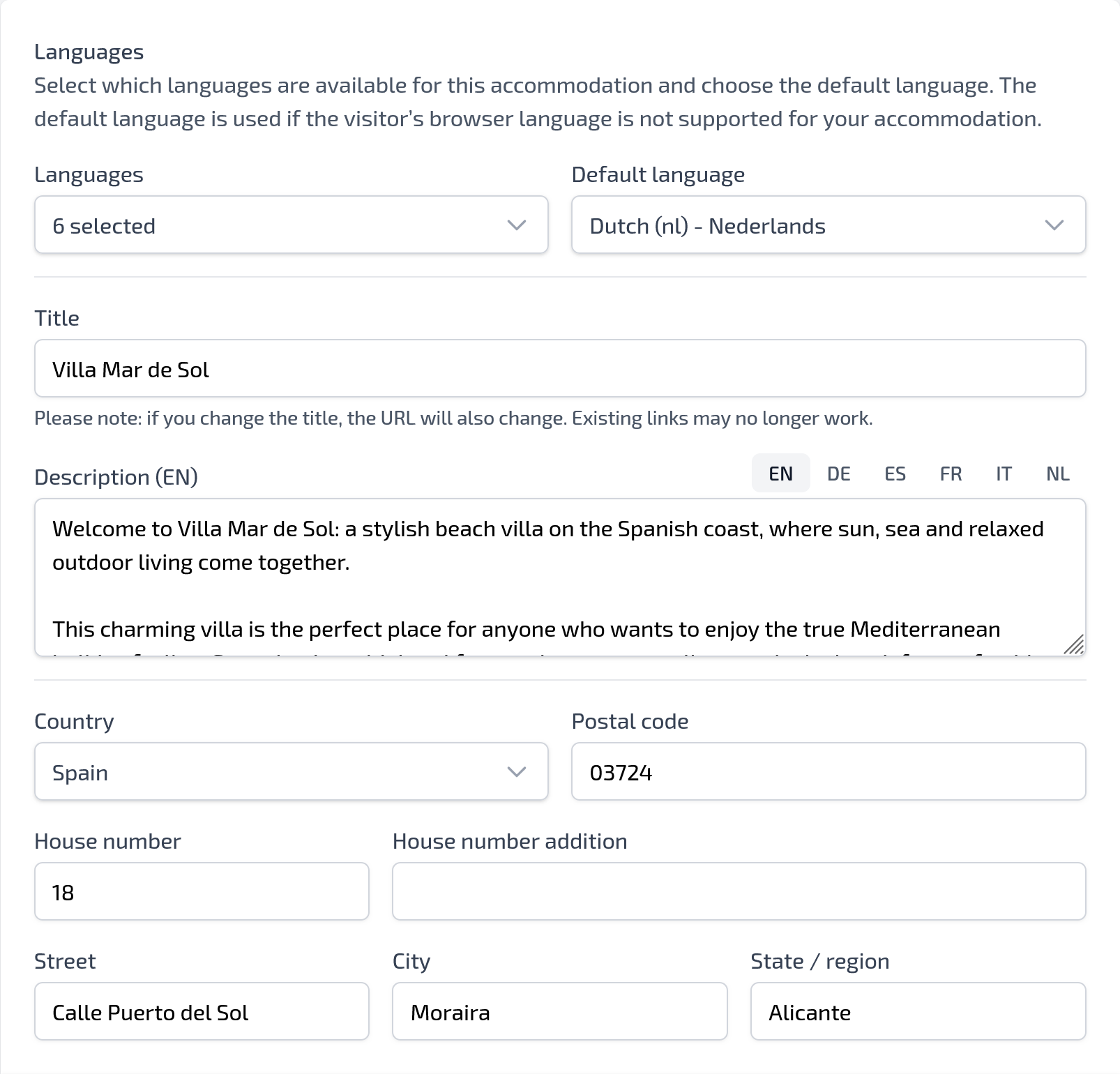
Set languages
At the top of the page, you choose which languages are available for your accommodation. You can select multiple languages, for example Dutch, German, English, Spanish, French and Italian.
Then you choose a default language. This language is used when the visitor’s browser language is not supported for your accommodation.
For example: if your default language is Dutch and a visitor uses an unsupported language, the Dutch version will be shown.
Enter the title
Under Title, enter the name of your accommodation, for example:
Villa Mar de Sol
Please note: when you change the title, the URL of your accommodation may also change. Existing links may therefore stop working. Only change the title when it is really necessary.
Add a description
Under Description, write a clear text about your accommodation. When you have enabled multiple languages, you can enter a separate description for each language using the language buttons, such as NL, DE, EN, ES, FR and IT.
Use the description to give guests a good impression of the atmosphere, layout, surroundings and advantages of your accommodation.
A good description includes, for example:
- what type of accommodation it is;
- where the accommodation is located;
- who the accommodation is suitable for;
- which rooms and amenities are available;
- what makes the surrounding area special.
Enter address details
Below the description, enter the address details of your accommodation. This includes:
Country
Select the country in which the accommodation is located.
Postal code
Enter the postal code of the accommodation.
House number and addition
Enter the house number. Only use the addition when applicable.
Street
Enter the street name.
City
Enter the city or town name.
Province / region
Enter the region or province, for example: Alicante
Check these details carefully so that guests see clear and reliable location information.