Rates & availability
Easily manage the standard rate and set additional rates for specific periods, such as seasons, holidays or events. This allows you to respond flexibly to demand and occupancy and get the most out of your accommodation.
How can I set prices?
- Price per night: The base price for one overnight stay.
- Price per weekend night: Optional different price for Friday and Saturday nights.
- Weekend price: Total price for a full weekend (e.g. Fri–Sun).
- Long weekend (Fri–Mon): Price for an extended weekend.
- Midweek (Mon–Fri): Price for a stay from Monday to Friday.
- Weekly price: Price for a full week (7 nights).
- Price for 2 / 3 weeks: Discounted rates for longer stays.
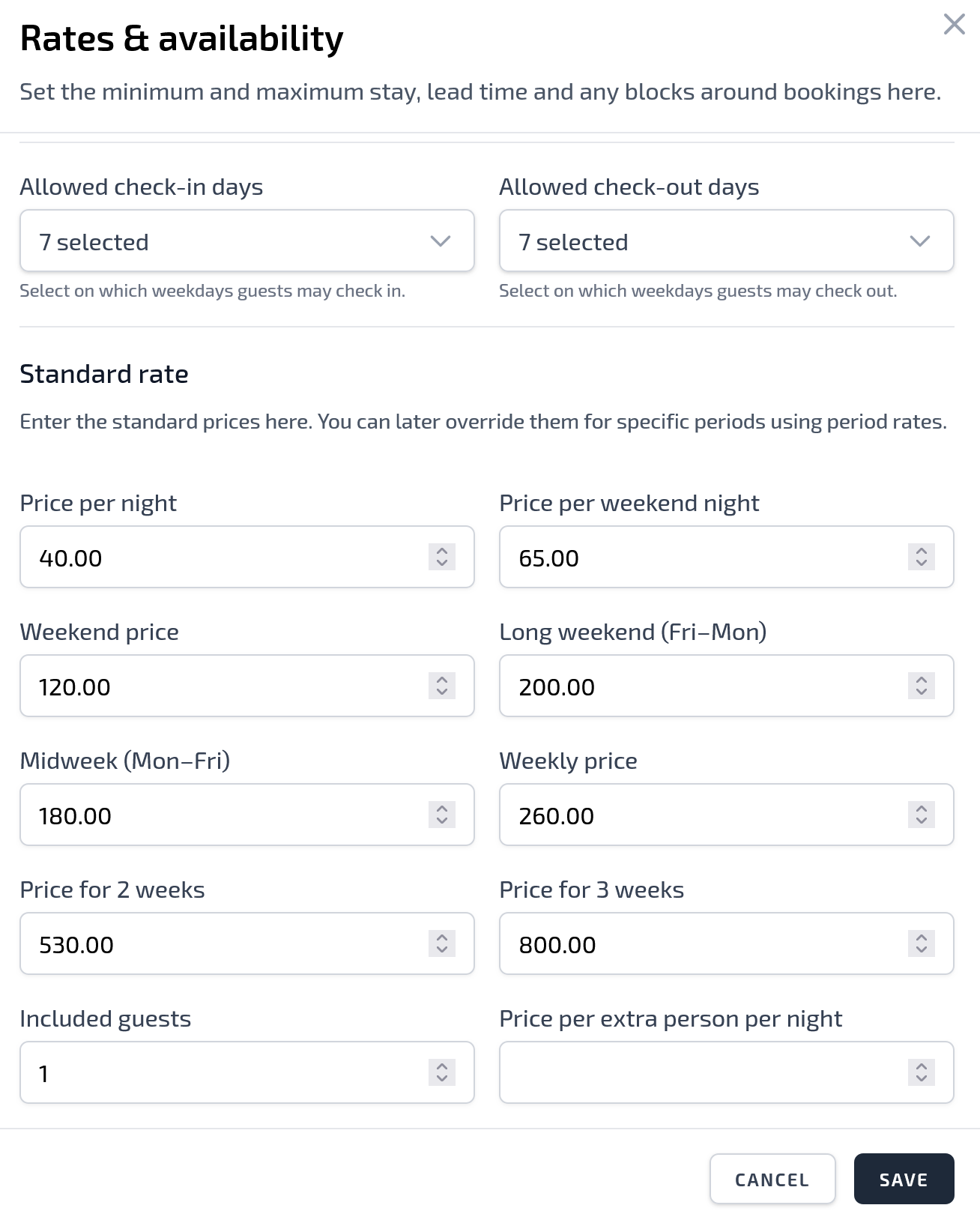
Tip: Only fill in the fields you actually want to use. Empty fields are calculated automatically based on the price per night.
Guests & additional costs
- Included guests: Number of guests included in the price.
- Price per extra person per night: Surcharge for additional guests above the included number.
Create a period rate
With a period rate, you can automatically adjust prices for a specific period based on the standard rate. You can increase or decrease the standard rate for this period by a percentage. This is useful, for example, during high season, holidays and vacation periods when you want to charge higher prices, or during quieter periods when you want to offer temporarily lower prices.
In the ADD PERIOD RATE window, enter the following information:
Period name
Give the period a clear name, for example:
- Summer holiday
- Christmas period
- Early season
- Last-minute discount
- August high season
This name helps you find the period easily later in your rates overview.
Start date and end date
Choose the period during which the adjusted rate should apply. All prices within this date range are calculated based on the percentage you set.
Increase/decrease standard rate (%)
Here you specify by what percentage the standard rate should be adjusted.
Use a positive percentage to increase prices:
15%
This increases the standard prices by 15%.
Use a negative percentage to lower prices:
-15%
This lowers the standard prices by 15%.
Round amounts to whole euros
With this option, you can choose to automatically round the calculated prices to whole euros. This often results in cleaner-looking amounts on your website.
For example:
€ 126.50 becomes € 127
When should you use period rates?
Period rates are especially useful when you want to adjust an entire period quickly without changing each day manually. Use them, for example, for busy holiday periods, nearby events, public holidays or discount periods outside the season.