Managing house rules
House rules let guests know in advance what is and is not allowed during their stay. This prevents misunderstandings and ensures guests know exactly what they need to take into account before requesting a booking.
Setting the maximum occupancy
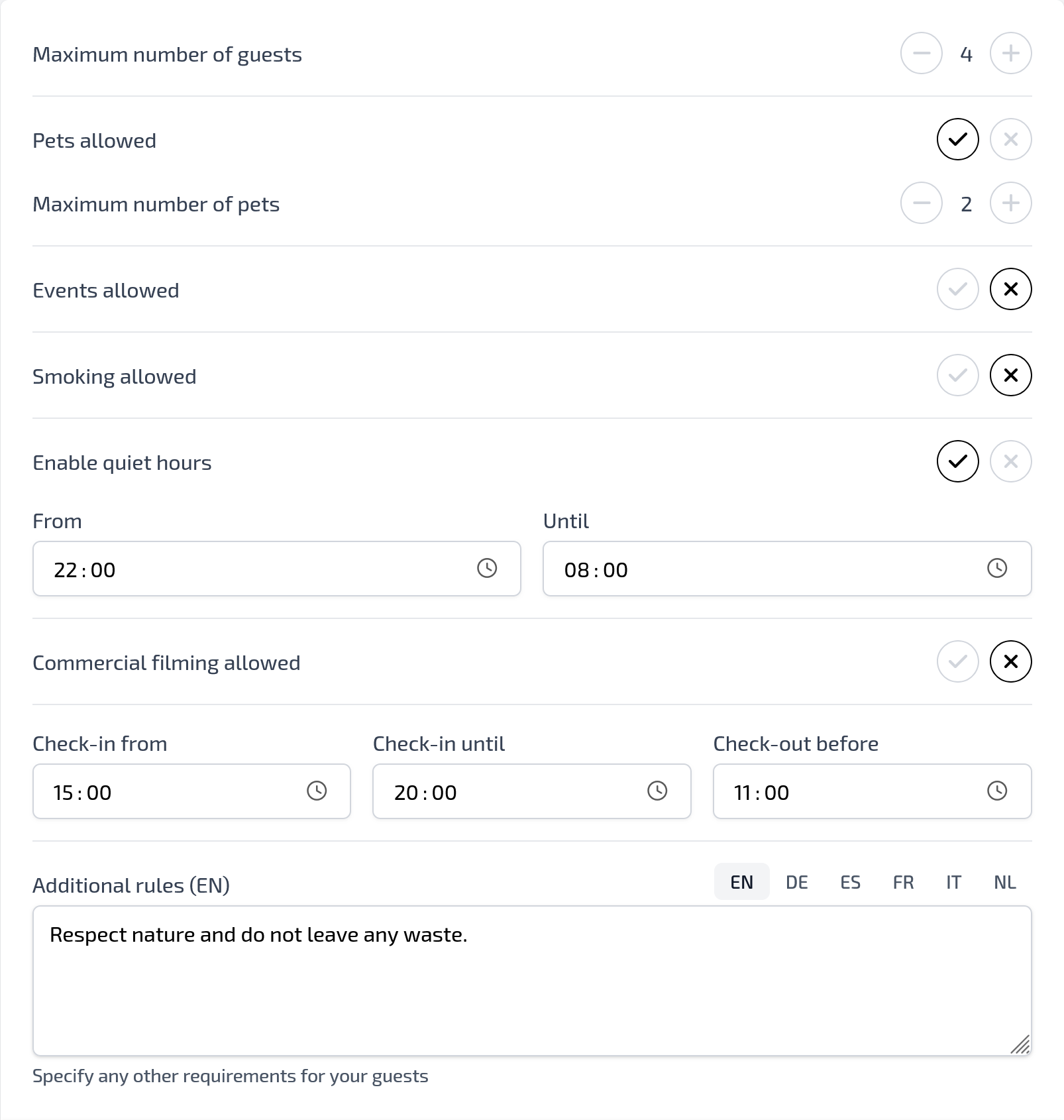
Under Maximum number of guests, you specify how many people are allowed to stay in your accommodation. This number helps guests immediately see whether the accommodation is suitable for their group.
Pets, smoking and events
You can easily indicate whether pets are allowed and the maximum number of pets permitted. You can also specify whether smoking, events and commercial filming are allowed in or around the accommodation.
By setting these rules clearly, you prevent confusion afterwards and guests know in advance which rules apply.
Using quiet hours
If you want guests to be considerate of their surroundings at certain times, you can enable quiet hours. You decide when the quiet period starts and when it ends.
This is especially useful if your accommodation is in a quiet area, neighbours live nearby or you want to set clear rules about noise in the evening and at night.
Managing check-in and check-out times
For the check-in and check-out times, you specify from what time guests may arrive, until what time they can check in and by what time they must check out at the latest.
These times are used to inform guests clearly in advance about their stay and help ensure clear planning around arrival and departure.
Adding additional rules
In the Additional rules field, you can add extra rules that are not covered by the standard options. For example, rules about waste, parking, respecting nature, using outdoor areas or being considerate of neighbours.
If you offer your accommodation in multiple languages, you can enter the additional rules separately for each language.
Saving house rules
After entering or updating the house rules, click Save. The configured house rules will then be used on your rental website so guests can review this information in advance.